A Scroll
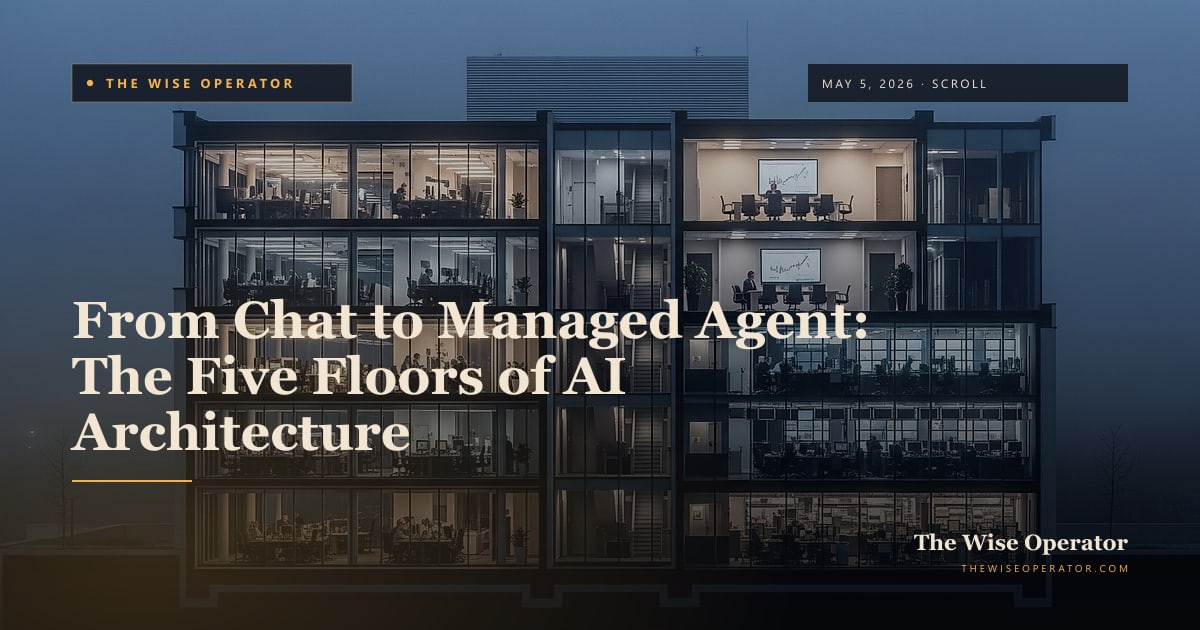
From Chat to Managed Agent: The Five Floors of AI Architecture
Most operators think they are building agents when they are using a chatbot, running a skill, or driving a terminal. Here is the map every builder should carry: what each floor of AI architecture actually is, what it isn't, and when to choose it.
Most operators think they are building agents.
They are not. They are usually using a chatbot in a browser, occasionally typing a command into a terminal, or sending the same well-worded request to Claude every Monday morning. None of those things are agents. All of them are useful. The problem is the vocabulary collapses the distinction, and when the vocabulary collapses, the architecture decisions collapse with it. Teams ship a chatbot when they need a workflow. They ship a workflow when they need a chat surface. They build a managed agent before they have proven the simple version. The result is not an AI strategy. It is a pile of tools that each work alone and none of which compose.
This Scroll is a map. There are five floors of AI architecture. Each floor adds capability and cost over the one beneath it. Each floor has a clean test for whether it is the right one for the work you are trying to do. By the end you will be able to look at any AI feature, in your own product or someone else’s, and place it on the map in three sentences.
The Map (Big Picture First)
                  ┌────────────────────────────────────────────┐
   FLOOR 5        │  DISTRIBUTED AGENT                          │
   stateful,      │  Edge-deployed, scheduled, multi-region.    │
   scheduled      │  Runs without a session and without you.    │
                  └────────────────────────────────────────────┘
                                       ▲
                  ┌────────────────────────────────────────────┐
   FLOOR 4        │  MANAGED AGENT                              │
   hosted,        │  Persistent, tool-gated, callable from an   │
   tool-gated     │  app or a portal. Survives the closed tab.  │
                  └────────────────────────────────────────────┘
                                       ▲
                  ┌────────────────────────────────────────────┐
   FLOOR 3        │  TERMINAL SESSION                           │
   filesystem,    │  Claude Code on your laptop. Reads files,   │
   commands       │  runs commands, calls Skills + MCP tools.   │
                  └────────────────────────────────────────────┘
                                       ▲
                  ┌────────────────────────────────────────────┐
   FLOOR 2        │  SKILL                                      │
   reusable       │  A saved instruction file. Invoked the      │
   instruction    │  same way every time. /skill-name.          │
                  └────────────────────────────────────────────┘
                                       ▲
                  ┌────────────────────────────────────────────┐
   FLOOR 1        │  CHATBOT                                    │
   one turn       │  claude.ai, ChatGPT.com. One question,      │
   at a time      │  one answer. Closes when the tab closes.    │
                  └────────────────────────────────────────────┘
Five floors. Each one is a real, distinct architectural choice. The mistake operators make is not climbing the ladder but pretending they are on a higher floor than they actually are.
We will walk up the ladder once (bottom to top, what each floor adds to the one beneath it), then walk down it once (top to bottom, what each floor removes from the one above it). Then we will look at the cross-cuts that apply to every floor: workflow versus chat, read-only versus write, and the tool gateway that sits between every floor above the chatbot and any system they want to touch.
Floor 1: The Chatbot
A chatbot is one model, one session, one question at a time. You open claude.ai or ChatGPT.com, type something, get a response, type a follow-up. When you close the tab, the conversation is gone unless you saved it.
That is everything a chatbot is. It is not a small thing. It is the most useful single tool most knowledge workers have ever been handed. But it is the floor.
What a chatbot has: the model, a system prompt the vendor sets, your messages, and short-term memory of the current conversation.
What a chatbot does not have: access to your files. Access to your tools. Memory across sessions unless the vendor explicitly added it (Claude Projects, ChatGPT Memory). Reliability across users: if your team-mate asks the same question, they get a different answer because they are typing slightly different words.
Operator test for Floor 1: Are you doing a one-off task where the answer is the deliverable? Drafting a paragraph, summarizing a document you paste in, working through a decision out loud? Stay on Floor 1. Do not architect anything.
If the answer is yes, the chatbot is the right tool and you do not need to read the rest of this scroll. Most days, most of the time, this is the right floor.
Floor 2: The Skill
The moment you find yourself typing the same long prompt twice, you have discovered Floor 2. A Skill is a saved instruction file. In Claude Code it lives at ~/.claude/skills/<name>/SKILL.md and gets invoked by typing /<name>. The Skill file contains the persistent instructions: how to format the output, what to look for, what rules apply, what to refuse to do.
The same prompt produces a different answer every time you re-type it from memory. The same Skill produces a consistent answer because the instructions are saved.
What Floor 2 adds: repeatability and shareability. A Skill survives the tab close. A Skill can be checked into a git repo and shared with the rest of your team. A Skill can be improved over time without anyone needing to remember the latest tweak to the prompt. The Outbound Pipeline playbook on this site is a Skill.
What Floor 2 still does not have: access to anything outside the Claude session. A Skill cannot read a file on your computer or call an API by itself. A Skill is still just instructions. The leverage comes when those instructions are good and they run every time the same way.
Operator test for Floor 2: Will I run this same task more than three times? Will it produce a consistent output when I run it next month, after I’ve forgotten the exact prompt? If yes, write the Skill. The 20 minutes to write it pay back the second time you use it.
A Skill is the smallest unit of repeatable AI work. Most teams should be writing more of these and fewer of everything above this floor.
Floor 3: The Terminal Session
Claude Code on your laptop is a terminal session. So is Codex CLI. So is Cursor. The session has access to your filesystem, can run commands you approve, can install packages, can edit files, can call MCP tool servers, can invoke any Skill you have installed.
This is the first floor where the AI is doing more than producing text. The AI is now operating a working environment.
What Floor 3 adds: the filesystem and the command line. Claude Code can read a file, edit a file, run a script, clone a repo, npm install a package, git commit your work. Skills become modular building blocks called from the session. MCP servers become typed bridges to external tools (your CRM, your database, a search API).
What Floor 3 still does not have: persistence after you close the terminal. The session is yours, on your machine, alive while you are watching. When you close the terminal, the session is gone. The work you saved (commits, files, drafts) survives. The agent that did the work does not.
Operator test for Floor 3: Am I building or modifying something on my own machine? Files, code, documents, configurations, environments? Use Claude Code. The reason most operators feel like they “have not built an agent” is that they are sitting on Floor 3 doing real agentic work and calling it “using Claude in the terminal.”
The naming is the trap. A terminal session that runs Skills and calls MCP tools to read files, edit files, invoke APIs, and produce structured output is, by every reasonable definition, an agent. It is just not a managed agent.
Floor 4: The Managed Agent
A Managed Agent is hosted. It does not require you to be sitting in front of a terminal. It runs inside Anthropic’s infrastructure (or a similar platform), has a stable identity, and is callable from a web app, an API, a portal, a button on a form.
This is the floor most operators do not understand because they do not interact with it directly. The interface looks like a normal app. The user clicks a button or fills out a form. The agent runs in the cloud, calls its tools through a governed gateway, produces a structured output (a file, a dataset, a draft), writes it back to the application’s storage, and the user picks it up later.
What Floor 4 adds: persistence beyond your session, multi-user access through a controlled surface, hosted compute paid by your organization rather than your laptop, structured tool access through MCP servers, and an audit trail. A Managed Agent does not require the operator to be present. It runs because the system told it to run.
What Floor 4 changes about your job: you stop building the workflow as a one-off prompt and start building it as a product. The agent has a name. It has versions. It has an owner. It has a budget. It has a permissions model that determines who in the organization can invoke it. The work you used to do in Claude Code becomes a button in your internal application.
Operator test for Floor 4: Do I need this same workflow to run for ten people in my organization, on demand, without each of them needing a terminal session? Is the output consistent enough that the format itself should be product-grade? Then it belongs as a Managed Agent.
The catch operators miss: most workflows do not need Floor 4 yet. Most teams should be on Floor 3 with a well-designed Skill until the Skill has run successfully thirty times. Climbing to Floor 4 too early is the most common cause of expensive AI projects that quietly stall. The Skill on Floor 3 already works. The Managed Agent on Floor 4 needs forms, permissions, quotas, job histories, an output store, and an admin panel before it does anything you couldn’t already do in the terminal.
Floor 5: The Distributed Agent
A distributed agent runs on a different schedule than your organization’s working hours. Floor 5 examples include Cloudflare Agents, AWS Lambda functions invoking Bedrock, scheduled cron-based agents, and multi-region monitoring agents that watch a system and report when something interesting happens.
Floor 5 is everything Floor 4 is, plus two more capabilities: scheduling without a human, and presence in multiple places at once. A monitoring agent that runs every morning at 6am, on the edge of the network, in three regions, watching a CRM for changes and surfacing the diff to a team channel: that is Floor 5.
What Floor 5 adds: the agent runs without anyone deciding it should run today. It runs because the calendar said so. And it does not have to live in one place. An edge-deployed agent has the geography of the cloud rather than the geography of your office.
What Floor 5 should NOT be: the first place you build. Distributed agents amplify whatever you have already built. If the underlying workflow on Floor 4 has bugs, scheduling it three times a day in five regions will simply produce the same bugs three times a day in five regions. The teams that succeed with Floor 5 are the teams that already have a working Floor 4 they have been refining for a quarter.
Operator test for Floor 5: Do I have a workflow that already runs reliably as a Managed Agent (Floor 4) and now I want it to run on a schedule, at the edge, or in multiple regions? Then climb to Floor 5. If your Floor 4 agent is fewer than three months old, do not.
The Three Cross-Cuts
Every floor above the chatbot is shaped by three orthogonal questions. These cut through Floors 2, 3, 4, and 5.
Cross-cut 1: Workflow agent or chat agent?
A workflow agent is form-driven. The user fills in bounded inputs (a vertical, a list of companies, a date range) and clicks a button. The agent does its work and produces a file or a dataset. The interaction is not a conversation. It is a job.
A chat agent is natural-language. The user types a question. The agent answers in prose, often with citations or links to the underlying systems.
Most operators imagine “an AI agent” as a chat agent because that is what consumer products look like. But the cleaner internal first build is almost always a workflow agent. Workflows have bounded inputs (predictable cost), structured outputs (testable quality), and clear boundaries between “the agent did its job” and “the agent failed.” Chat agents have none of those. Chat agents are harder to build well, harder to govern, and harder to measure. Ship the workflow first. Layer chat on top once the underlying tools the chat agent would call are already proven.
Cross-cut 2: Read-only or write-enabled?
A read-only agent answers questions. It looks up a customer record, summarizes a document, reports the open orders for a region. It cannot change anything in the system of record.
A write-enabled agent changes things. It creates a CRM contact, updates a status, sends an email, attaches a file, schedules a meeting.
The two should be separate agents with separate permissions. Mixing them is the architectural mistake that produces the headlines about AI agents going rogue. A read-only chat agent that asks for clarification before any action, plus a separate write-enabled workflow agent that previews every change before executing, is dramatically safer than one omnibus agent that can do everything.
A write-enabled agent should never write silently. It should produce a preview (“here is what I am about to do”) and require explicit confirmation. The cost of a wrong write into a CRM or an ERP is months of trust repair.
Cross-cut 3: The tool gateway
Between every floor above the chatbot and any external system the agent wants to touch, there should be a tool gateway. In the Anthropic ecosystem, this is the Model Context Protocol. The gateway provides typed tools (crm.search_account, crm.get_notes, inventory.get_levels) rather than raw API access. It enforces permissions at the tool layer. It logs every call for audit. It hides the complexity of the underlying system from the agent.
Without a gateway, every agent ends up with its own bespoke API client, its own authentication code, its own error handling, and no audit trail. With a gateway, every agent above the chatbot floor gets the same well-defined interface to the same systems, and every call is logged.
The gateway is invisible to users. It is the most important architectural decision a team can make before the third agent ships.
Worked Example: A Mid-Market Business Builds Market Research
Make it concrete. Imagine a mid-market business with a portal that already handles login, roles, and a few internal tools. Leadership wants AI-driven market research and prospect enrichment available to the sales team. Walk it up the floors.
Wrong path (most teams take it): “Let’s build an internal chatbot where anyone can ask anything about our market and prospects.” This is a Floor 4 chat agent before the underlying tools exist, with write-enabled access (because eventually they want it to update the CRM), without a gateway, without preview confirmations, without bounded scope. It will not ship.
Right path (the architecture this Scroll teaches):
   PHASE 1                PHASE 2                 PHASE 3
   ─────────              ─────────               ─────────
   Floor 3 + 2            Floor 4                 Floor 5

   Use Claude Code        Promote the Skill       Add scheduled
   in a terminal,         to a Managed Agent      monitors that
   write a Skill that     in the portal. Form     run nightly to
   does market research   inputs (vertical,       refresh prospect
   for one prospect       geography, count).      lists. Add a
   list. Run it 30        Permissions, quotas,    chat agent only
   times manually.        job history, file       after the workflow
                          outputs.                tools are proven.
Phase 1 is a terminal session running a Skill. Total build time: a day or two. The Skill produces a research brief plus an enriched list. The operator runs it manually thirty times across the team’s actual prospects. The team learns what the output should look like and what the inputs need to be.
Phase 2 promotes the Skill to a Managed Agent. The agent is form-driven, callable from the portal, gated by user role, capped by quota, audited per job. It writes its outputs into the portal’s file storage. The operator’s job moved from “running a Skill” to “owning a product feature.” This is where most teams should plant their flag for at least a quarter. A Managed Agent that produces clean research briefs on demand is already a meaningful productivity gain.
Phase 3 adds a separate write-enabled agent for CRM sync (with mandatory preview/confirmation), a separate read-only chat agent for natural-language questions (“show me all open orders in the Northeast”), and Floor 5 scheduled monitors that watch for changes overnight. Each addition is a deliberate, separate piece of architecture, not a feature creep on the original agent.
The architectural insight in the order: the same underlying capabilities show up on every floor. Floor 3’s Skill, Floor 4’s Managed Agent, and Floor 5’s Distributed Agent all share the same research logic. What differs is the surface, the persistence, the permissions, and the schedule. Build the logic once, stage it through the floors, and each promotion is a deployment, not a rewrite.
Top-Down Recap
Reading the map from the top down: The most ambitious floor (Floor 5, distributed agents) is fully dependent on the floor beneath it being solid. A scheduled agent that runs poorly written workflows simply runs them more often. A managed agent calling poorly designed tools simply scales the design failure. A terminal session driven by a vague prompt produces vague results that no Skill can save. A Skill written without testing it as a chatbot prompt first will encode a bad pattern that becomes hard to remove.
This means the right way to climb the ladder is to validate at each floor before moving up:
- Prove the work is doable in a chatbot conversation (Floor 1).
- Lock the instructions into a Skill (Floor 2).
- Wire the Skill into a terminal session that can read your files and call your tools (Floor 3).
- Promote the proven workflow to a Managed Agent inside an internal application (Floor 4).
- Schedule, distribute, and monitor only after the Managed Agent has run successfully for weeks (Floor 5).
Most projects fail because they skip Floors 2 and 3 and try to start at Floor 4.
Bottom-Up Recap
Reading the map from the bottom up: Each floor adds something specific to the one below. Floor 2 adds repeatability. Floor 3 adds a working environment. Floor 4 adds hosting and multi-user access. Floor 5 adds scheduling and distribution. Nothing magical happens at any floor. There is no point at which the AI suddenly becomes “an agent.” That word is descriptive of behavior, not architecture, and the behavior of an agent is achievable on Floor 3 with a well-built Skill running in Claude Code.
The reason most operators feel they have not built an agent is that they have, but the marketing language for the floors above them sounded so much more impressive than what they were actually doing on Floor 3 that they assumed there was a gap they had not crossed. There is no gap. There is just the next floor, which adds specific capabilities at specific costs.
Wisdom Anchor
“For which of you, intending to build a tower, sitteth not down first, and counteth the cost, whether he have sufficient to finish it?” (Luke 14:28, KJV)
Jesus’ question is a builder’s question. Not whether the tower can be built, but whether the builder has counted the cost of finishing. The five floors of AI architecture are five different costs. Not just dollar costs but design cost, governance cost, operational cost, attention cost. A managed agent that monitors a CRM at the edge in three regions is not a small thing to operate, even if the marketing makes it sound like a single click.
The ancient counsel applies. Sit down first. Count the cost of the floor you are climbing to. If the cost is more than the value the floor adds over the floor beneath it, stay where you are. The team that ships a thoughtful Skill on Floor 2 and uses it patiently for six months is doing better operator work than the team that builds a half-finished managed agent on Floor 4 because Floor 4 sounded more advanced.
The discipline this Scroll teaches is the discipline of knowing which floor you are on. The discipline the Gospel of Luke names is the willingness to sit down and reckon the cost before you climb. They are the same discipline.
What to Carry Forward
Three things to take into your next AI conversation:
-
Name the floor. Whenever someone says “we’re using AI to do X,” ask which floor it lives on. The answer reveals more about whether the project is healthy than any benchmark or demo.
-
Promote one floor at a time. Skills become Managed Agents. Managed Agents become Distributed Agents. The path is incremental. Skipping floors is the most common reliable failure mode.
-
Build the gateway before the third agent. If your team is going to ship more than two AI tools that touch real systems, the second tool should be the moment you commit to a tool gateway. Not the fourth, not the tenth. The second.
The Scroll above is a map. The next time someone asks you what an AI agent is, you have one.